Skip to content
Bilantio

Bank connection

Your bank transactions next to your invoices.

Sign in at your bank once and Bilantio imports your accounts and transactions, read-only. Suggested invoices make it quick to match each payment.

  • Read-only access, no payments
  • PKO BP, mBank, Santander, ING, Revolut and more
  • Payments matched to invoices
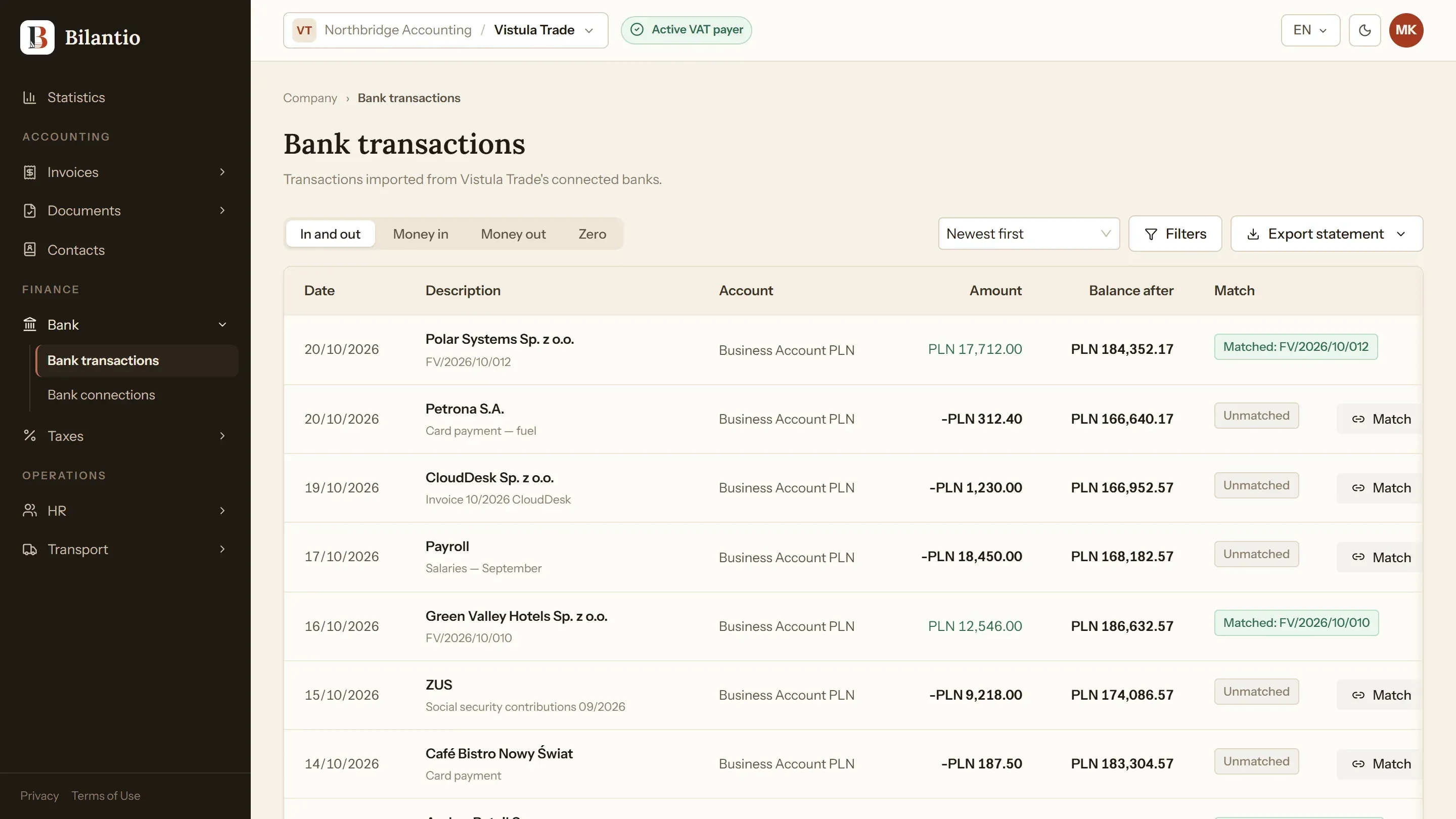
Bank transactions in Bilantio matched to invoices

Screens show sample data from a demo company.

Connected through Kontomatik

You choose your bank, sign in on the bank’s own page and come back to Bilantio. The first import brings the last 90 days of transactions; after that, syncs run on a schedule or when you click “Sync now”.

  • Several banks and accounts per company
  • Sync history and the date your access expires
  • Remove a connection and keep its data, or delete both

Payments matched to invoices

For each transaction Bilantio suggests open invoices, ranked by the counterparty’s account number, the invoice number in the transfer title and the amount. You choose the invoice and confirm the match; partial payments are supported.

Filters and statement export

Filter by bank, account, money in or out, currency, dates and amount. Export the transactions as a PDF in Polish or English, or as an MT940 file for accounting software.

Frequently asked questions

Can Bilantio make payments from my account?

No. The connection is read-only: Bilantio imports accounts and transactions but cannot start a transfer.

Is matching automatic?

Bilantio suggests the most likely invoices, and a person confirms each match, so the decision stays with you or your accountant.

Is the exported PDF an official bank statement?

No. It lists the transactions imported into Bilantio. For an official statement, use your bank.

See Bilantio on your own documents.

A twenty-minute meeting, no slide deck and no commitment.

Request a demo